Overview
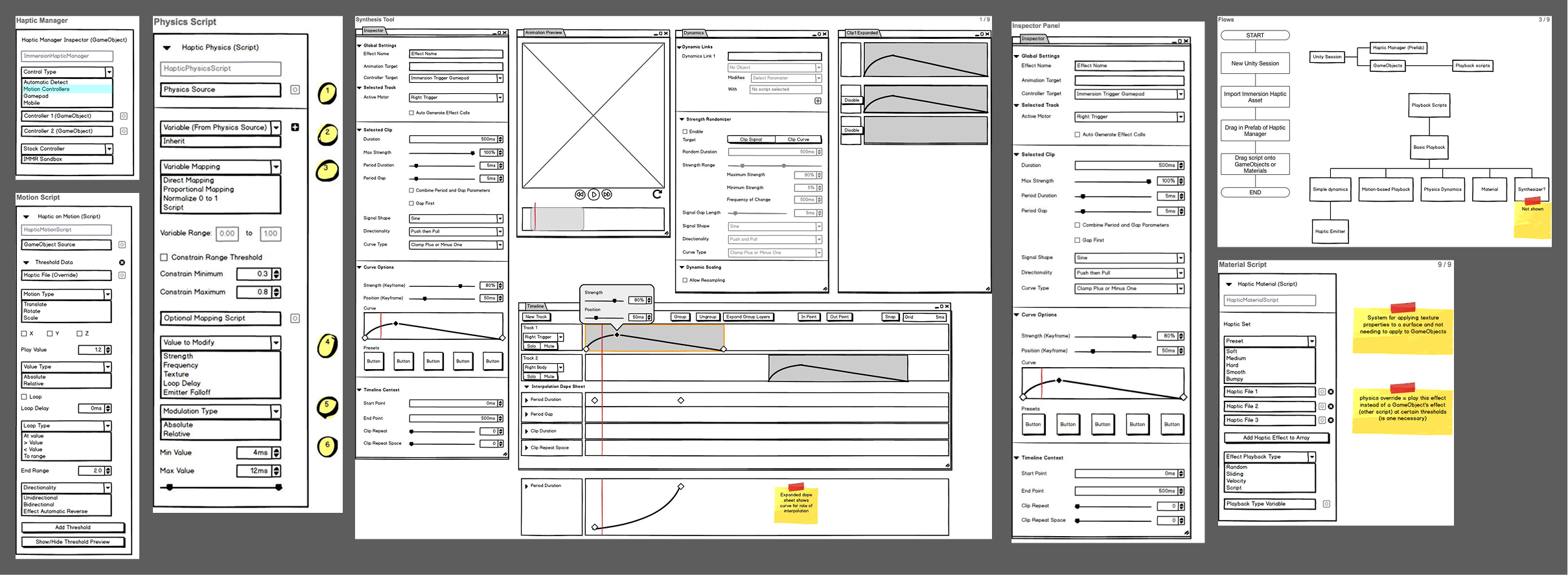
These are authoring tools built into Unreal Engine and, later, Unity that let designers create and sync tactile feedback without writing code. I built them around a timeline, the mental model people already know from audio and video editors, so the learning curve is near-zero and effects can be auditioned live and pinned to exact moments in an animation. The goal was to take something that used to require an engineer and put it directly in a creative's hands.
The ask
How might we enable creation of advanced haptic content for multiple platforms like Nintendo Switch and virtual reality?
My role
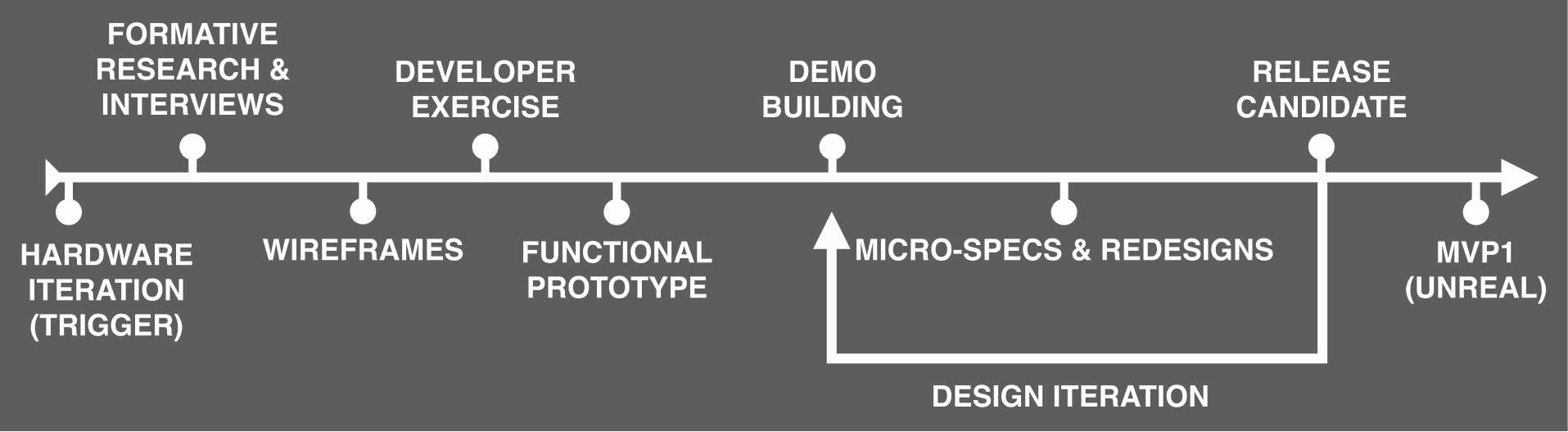
As the UX lead I owned the interaction flow and interface requirements, working closely with research to iterate toward something people found immediately intuitive. I drove the interaction and feature set design end to end, in partnership with engineering to build and validate it.
Research impact
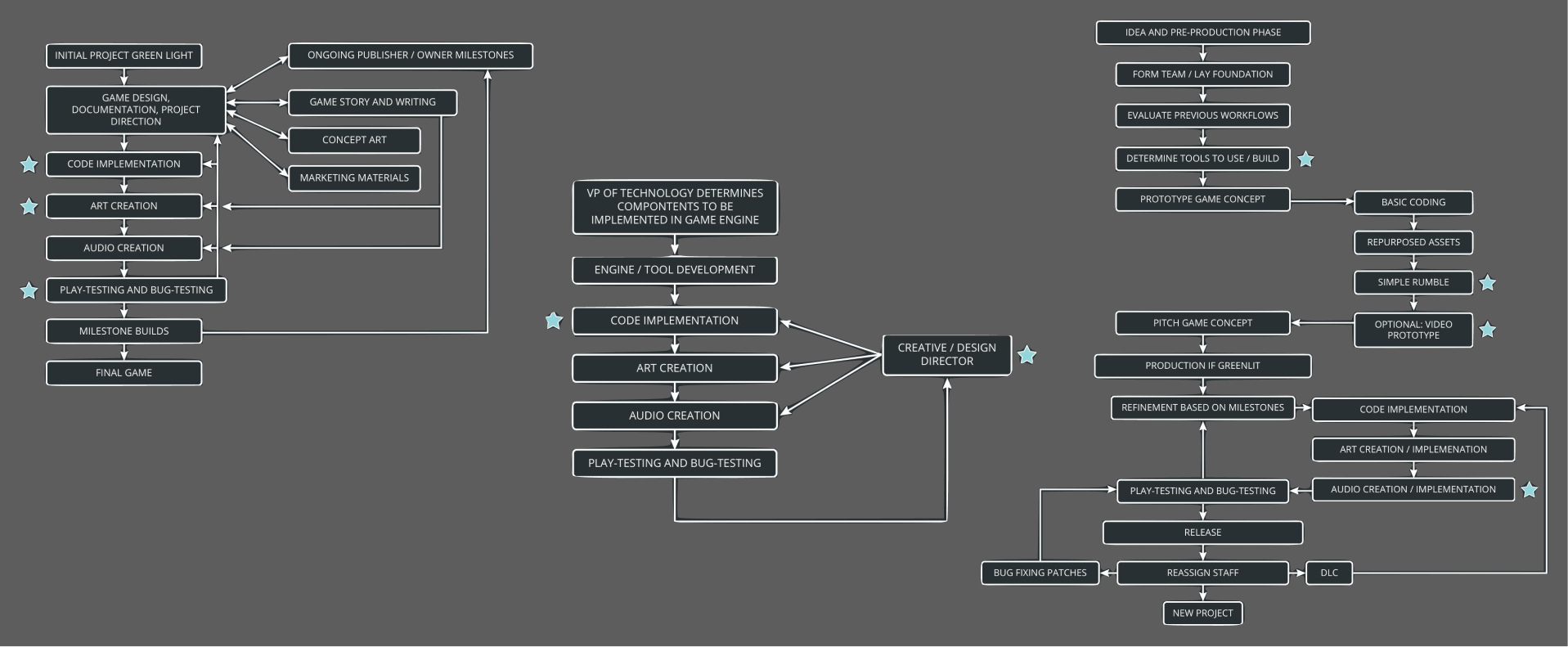
Our interviews with developers and game designers surfaced a consistent pattern: rumble design was an afterthought, deferred to the very end of production and often handed to an intern to knock out simple buzzing effects. We knew the opposite was required. Convincing effects depend on tight sync and dynamic ties to animation, a demand only growing as faster, higher-fidelity vibrotactile actuators arrived. The implication was clear: effect design had to live as part of the animation and audio process, not bolted on after it.
A second insight sharpened the approach. Developers told us, time and again, that they would only try a new tool if they had spare time, always with a knowing laugh that they never did. That ruled out an external tool. We had initially explored a standalone application running outside the engine, but this insight pointed elsewhere, and I advocated for embedding the haptic editing flow directly in the engine, wired into the animation frameworks of Unity and Unreal. By meeting developers exactly where they already worked, we lowered the cognitive barrier to trying something new rather than asking for the time they did not have.
Unreal Engine 4
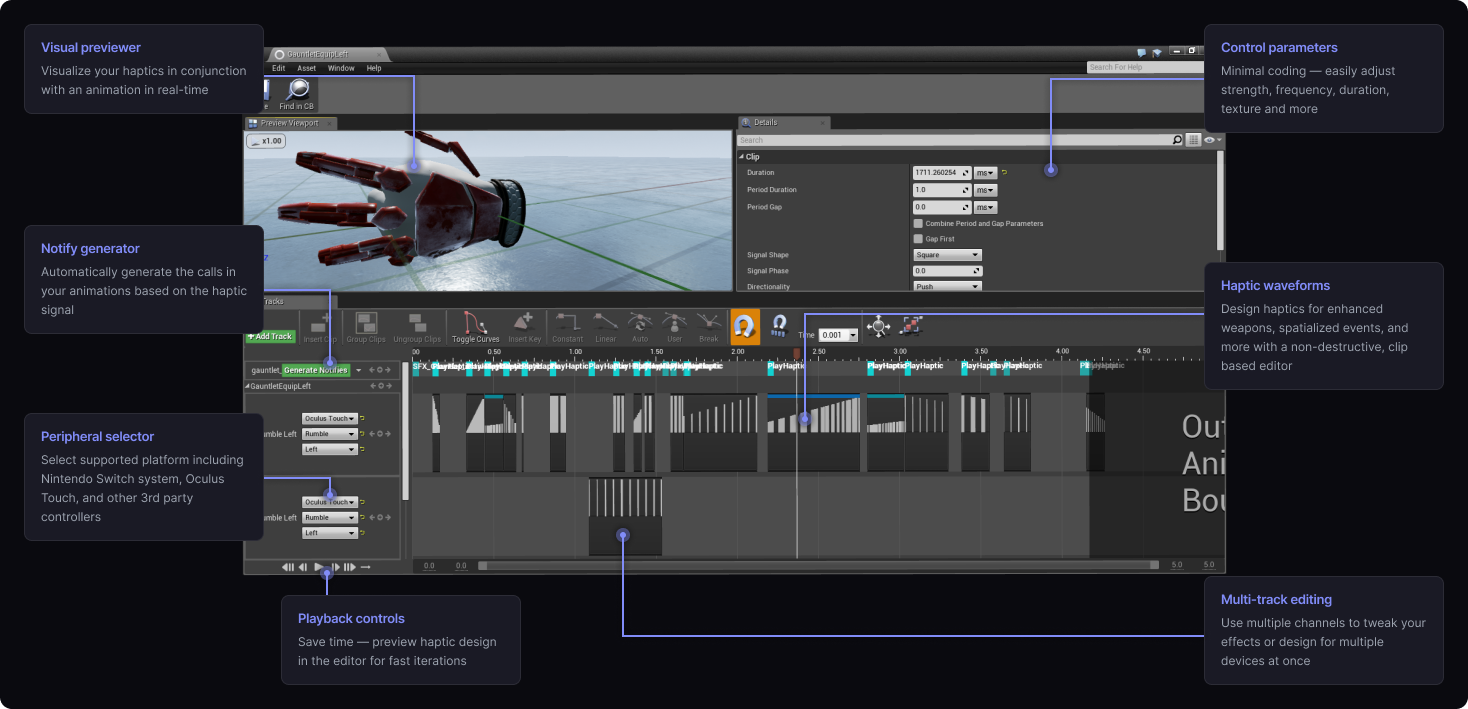
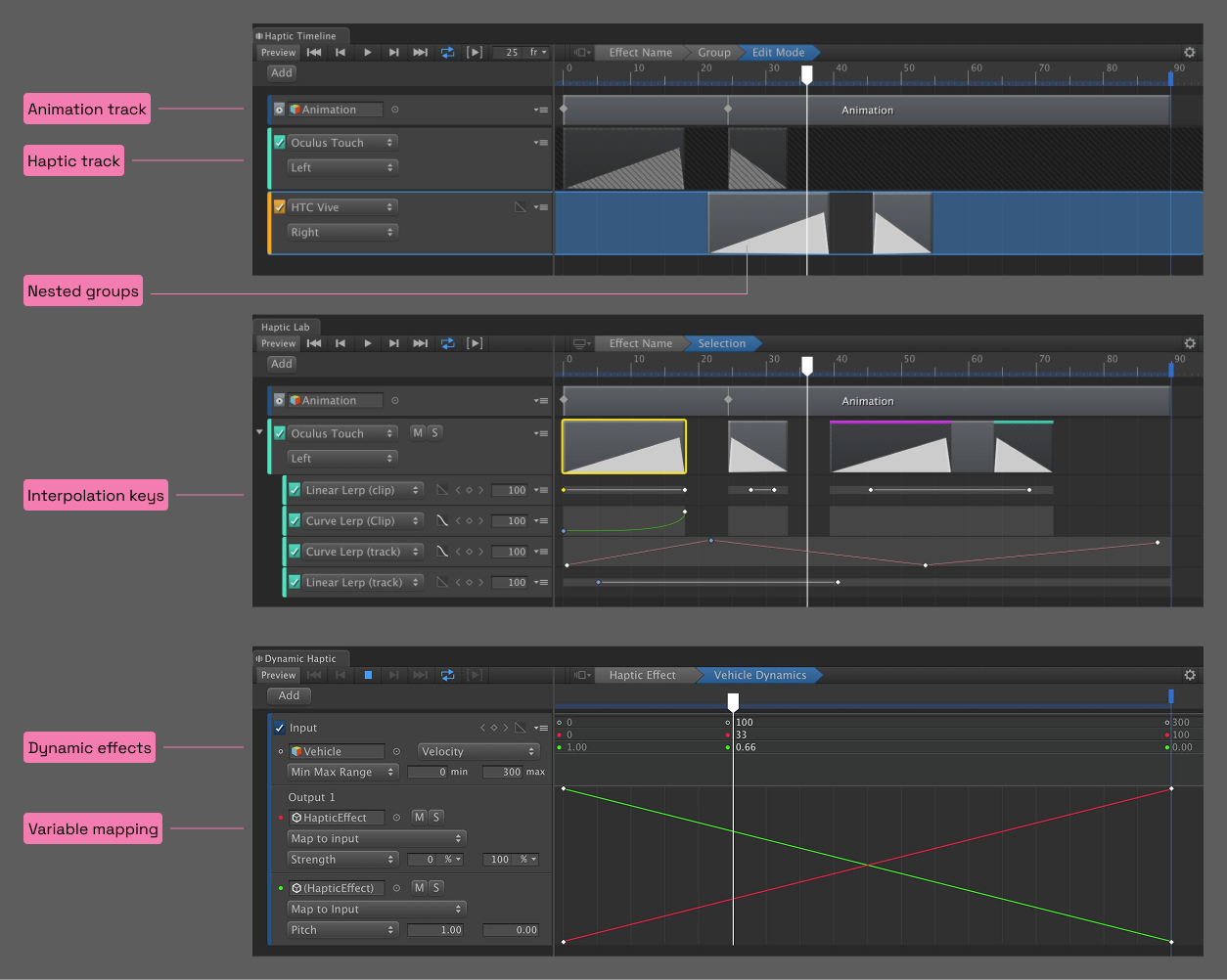
The layout is familiar to those with any timeline experience and can quickly be used to create and audition haptics on the fly. This tool supports multiple configurable tracks to simplify haptic design for multiple devices. Technical knowledge of actuators is not necessary due to the abstracted nature of the interface. Complex haptics can be generated and synced to discrete points within an animation to enable the most complex haptic sequences possible on a platform in a fraction of the time. This build was used to create complex effects for Immersion's VR Gauntlet demo. Developers who experienced the effects estimated a two-week time span to recreate what they felt. In practice, effects were created in about 20 minutes.
This has been demonstrated publicly at both GDC 2017 and the SVVR Expo 2017 to accolade. Not only does this tool click with any developer that has seen it, but it has also been called "the missing link" for those trying to create complex and immersive VR experiences. Coverage can be found on UploadVR, Tom's Hardware, and Road to VR.
Unity
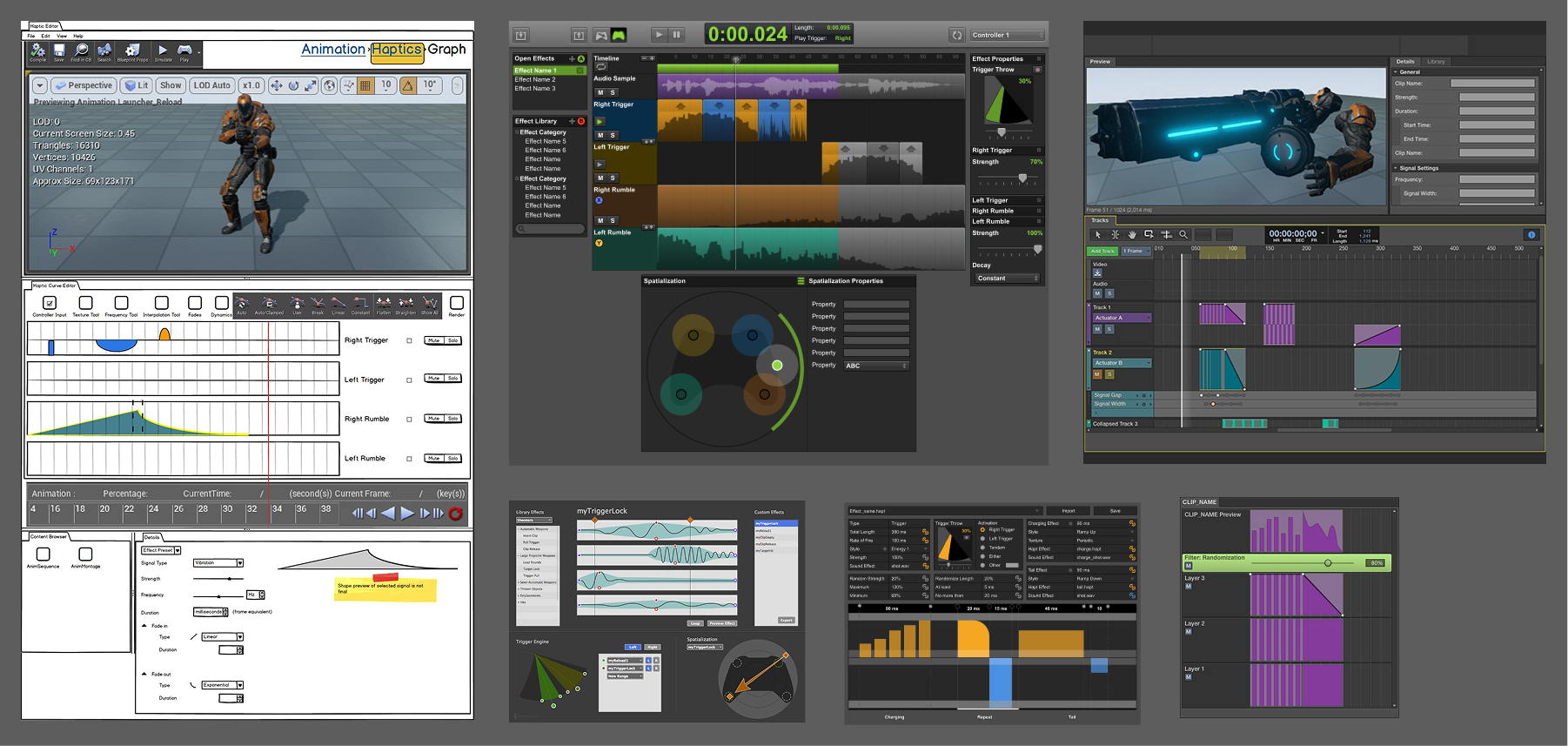
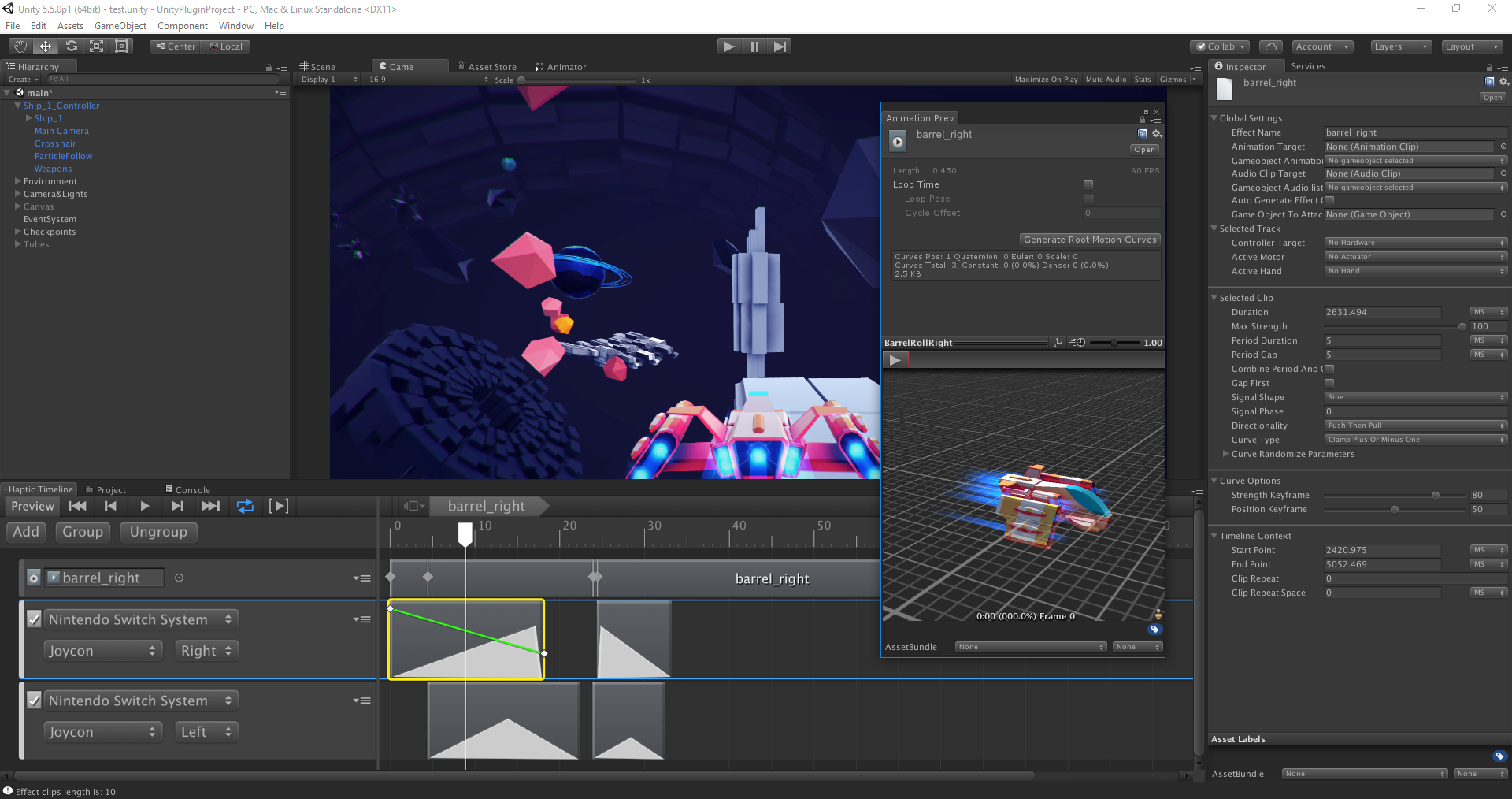
A followup to the UE4 version, the Unity version was a notable upgrade and included a refined timeline editor, clip-specific curve editing for strength and pitch (if on an applicable endpoint), animation and audio import, and automatic effect triggering when designed with animations. For this release, emphasis was placed on a higher rate of design and iteration. It was successful: the design of all haptics in the space demo took a combined ten to twenty minutes total to complete. In older workflows, these types of effects would have taken hours to construct and sync.
Proving the tool
A tool is only as convincing as what people feel through it, so we built two demos to put the editor in front of developers, press, and partners. Each had to land in the few minutes someone has at a trade-show booth or before a meeting.
The VR Gauntlet (Oculus and Vive, Unreal)
The Gauntlet was a short shooting gallery with two weapons: a simple pistol and a gauntlet that equips to your hands and fires energy beams. Its equip sequence was the showcase, the most complex haptic sequence anyone had felt on the Oculus Touch controllers at the time. I worked with an external developer, owning the interaction specs and the direction of the feature set, and I pushed to add the gauntlet late. It became the highlight of the whole demo.
Once it was in front of people, their behavior redesigned it for us. The win condition took a while to reach, so instead of trying the demo briefly and moving on, players kept playing, which is the wrong outcome for a tool the sales team runs before meetings. So we added a 10-second countdown you could trigger to end a session on demand. We also made both weapons ambidextrous and turned holding the gun into a toggle, so equip/unequip and hold/drop behaved the same way. With the gauntlet already carrying the demo, we deliberately put further weapons and play areas on hold.
The gauntlet could be equipped, fired in a short burst, charged, and fired as a long beam, with an overheat sequence if the beam ran too long.
The Switch "Space" demo (Unity)
The Space demo did the same job for the Unity tool on the Nintendo Switch. Working with a UX engineer, I helped design, validate, and build it: a flight sequence with a barrel roll, lasers and missiles, a turbo boost, checkpoints, and collisions, each with its own tactile signature. I owned the asset selection, the barrel-roll animations, the firing system, and the audio and haptic design. It anchored Immersion's booth at Unite 2017, where I gave a talk on designing haptic experiences for games.