Haptic Studio lets you quickly and easily create audio textures for use as haptic effects.
Overview
Haptic Studio is a desktop tool for designing tactile textures, the vibration patterns that make a buzz feel like an explosion versus a heartbeat. Before it, designers improvised inside Pro Tools' tone generator: a slow, expert-only process that took tens of minutes per effect and locked the work to one specific audio app. I set out to make that workflow fast, portable, and approachable, so a complex texture takes seconds and can move into whatever editor a team already uses. The tool was announced at Adobe MAX 2017.
The ask
How might we expand the haptic design workflow to multiple editing environments without bespoke plugins?
Core constraints
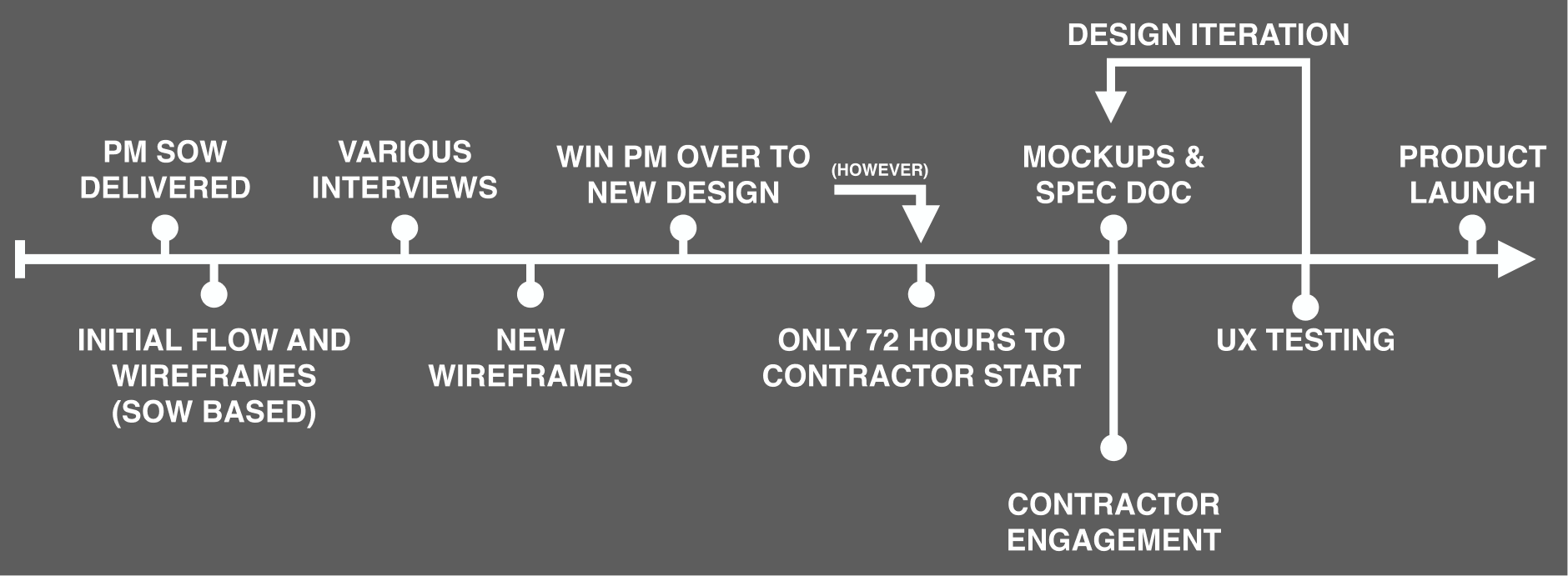
Two real limitations shaped every decision:
- No play-head sync: the tool can't drive the play-head in someone's editing app. So I optimized it for what it's uniquely good at (fast texture creation) and deliberately de-emphasized precise strength control, which is better handled by the volume automation people already have downstream.
- One file, one track: effects need to leave the tool and stay editable, and many target setups can only route a single track. I made this possible by proposing the addition of a second peak interval control.
Feature innovation
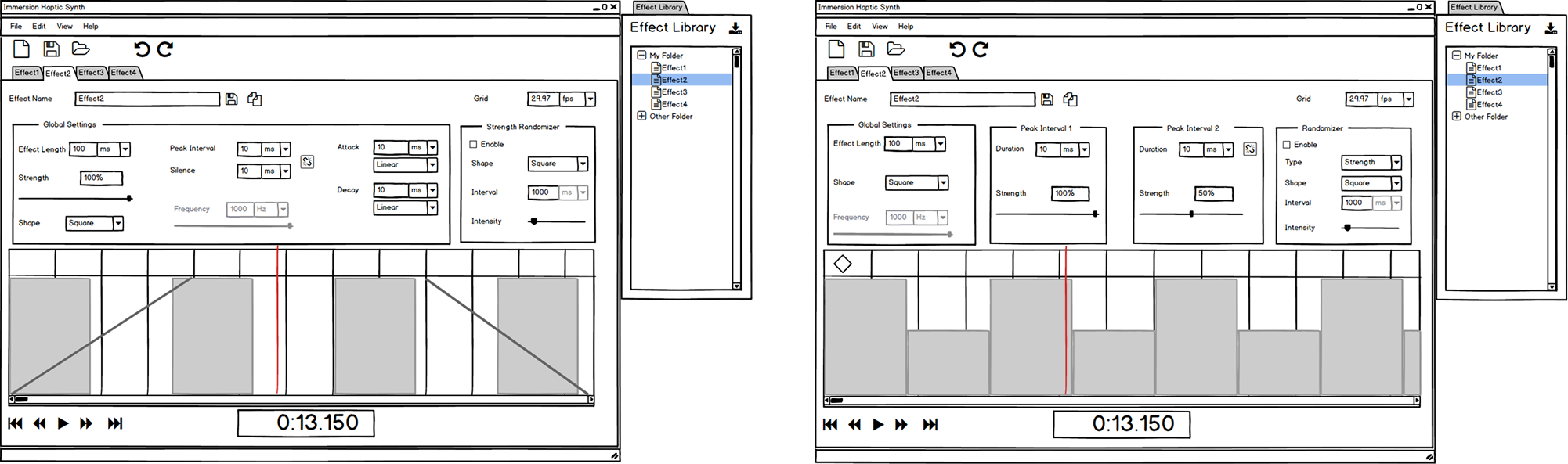
Adding a second peak interval control
Previously, a texture with varying smoothness needed at least two parallel tracks to build. I folded that capability into one track, so designers get complex, interleaved textures without fighting routing limits, and for simple cases both intervals link to a single value. I added keyframing with interpolation for quick tempo changes, a randomizer for chaotic effects like explosions, and a shared library so teams can save, reuse, and standardize what works across projects.
The interpolation option is very powerful for custom textures. Notice the change to the peak interval knobs to denote values controlled elsewhere.
All effects can be saved to a library. Special protected "preset" effects can be distributed by Immersion that cannot be overwritten.
Outcome
Adoption was immediate. The company's internal haptic designers folded the tool into their daily workflows even in its beta state, self-reporting that effects which once took tens of minutes now took a few. The impact compounded at the project level: generating the haptic track for a short-form video, previously an 8-hour effort on average, dropped to 3 hours, driven by the tool's faster authoring and a reusable effects library that let designers stop rebuilding from scratch.